How to upload a project
-
Create a new project on ClickUp with the name of the client Name with Country Like Name (Country)
-
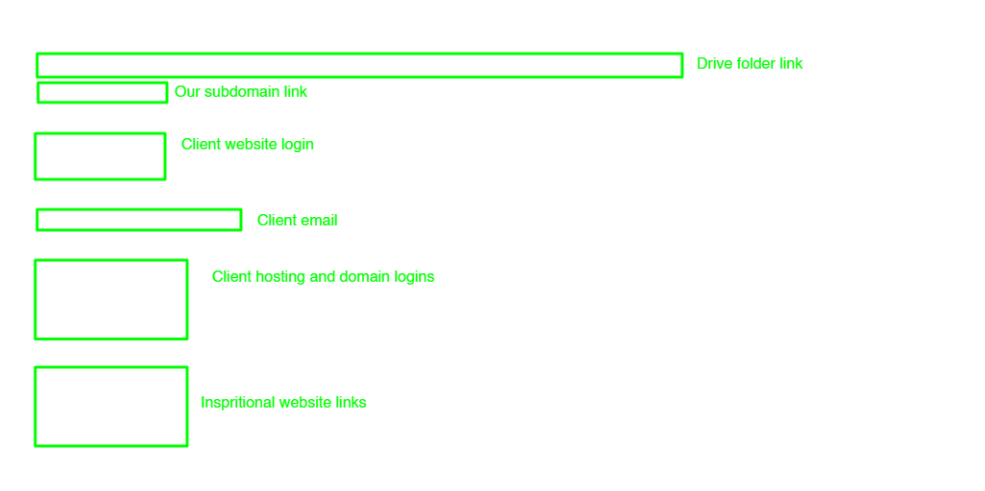
Create a folder with the client name in this account drive (smtp…) and paste this folder link to the click-up description section as shown in the photo.
-
Take screenshots of all chats of the client bout conversion and order chat download and download all the images, videos, and files from the client chat.
-
Upload all the data to the drive must use this account (SMTP…) when uploading the data to the client folder.
-
Create a subdomain with the same name that we use for click-up and paste links in the clickup description section as shown in the photo.
-
Upload client logins to the Client Login list.
-
Upload client inspirational website links at the bottom of the click-up description as shown in the photo.
Note: Use the same format in the description section whenever uploading the project. As shown in the photo.
-
Send all the important links to the Discord Activity section that are difficult to copy from screenshots and other important links.
-
Send if have done meeting. all the meeting links to the Discord Activity section.
-
Update the order date on ClickUp if the order is in progress.
-
Set the priority tag with the help of the Order Tag SOP’s.
Changes the status of that project with the help of Order Status SOP’s.