
SOP – Proper Project Completion & Client Handover
🎯 Objective
Ensure every project is fully completed, verified, communicated, and closed in a professional and consistent manner that:
- Avoids confusion
- Prevents missed steps
- Maximizes client satisfaction
- Increases chances of 5-star reviews and referrals
🧱 Scope
Applies to:
- All website development projects
- Fiverr and off-platform clients
- New builds, redesigns, and website transfers
⚠️ Core Rules (Non-Negotiable)
- ❌ Never assume a project is complete without verification
- ❌ Never disappear after website transfer
- ❌ Never rush the client for feedback
- ✅ Completion = Technical + Communication + Client Confirmation
🧭 Step-by-Step Project Completion Process
🔹 Step 1: Final Website Transfer (If Applicable)
- Transfer the website to the client’s live domain
- Ensure:
- Correct domain is live
- No subdomain URLs remain
- SSL is active and working
📌 Do not proceed until transfer is successful.
👉 Follow SOP: How to Transfer a Website
🔹 Step 2: Verify Website in Incognito Mode (Mandatory)
Immediately after transfer:
- Open the website in Incognito / Private mode
- Check:
- Homepage loads correctly
- All pages open
- Forms work properly
- Images load
- Layout looks correct
🚫 Do NOT rely on logged-in or cached views.
👉 Follow SOP: How to Check a Website After Transfer
🔹 Step 3: Update Project Status & Tags
In ClickUp / CRM:
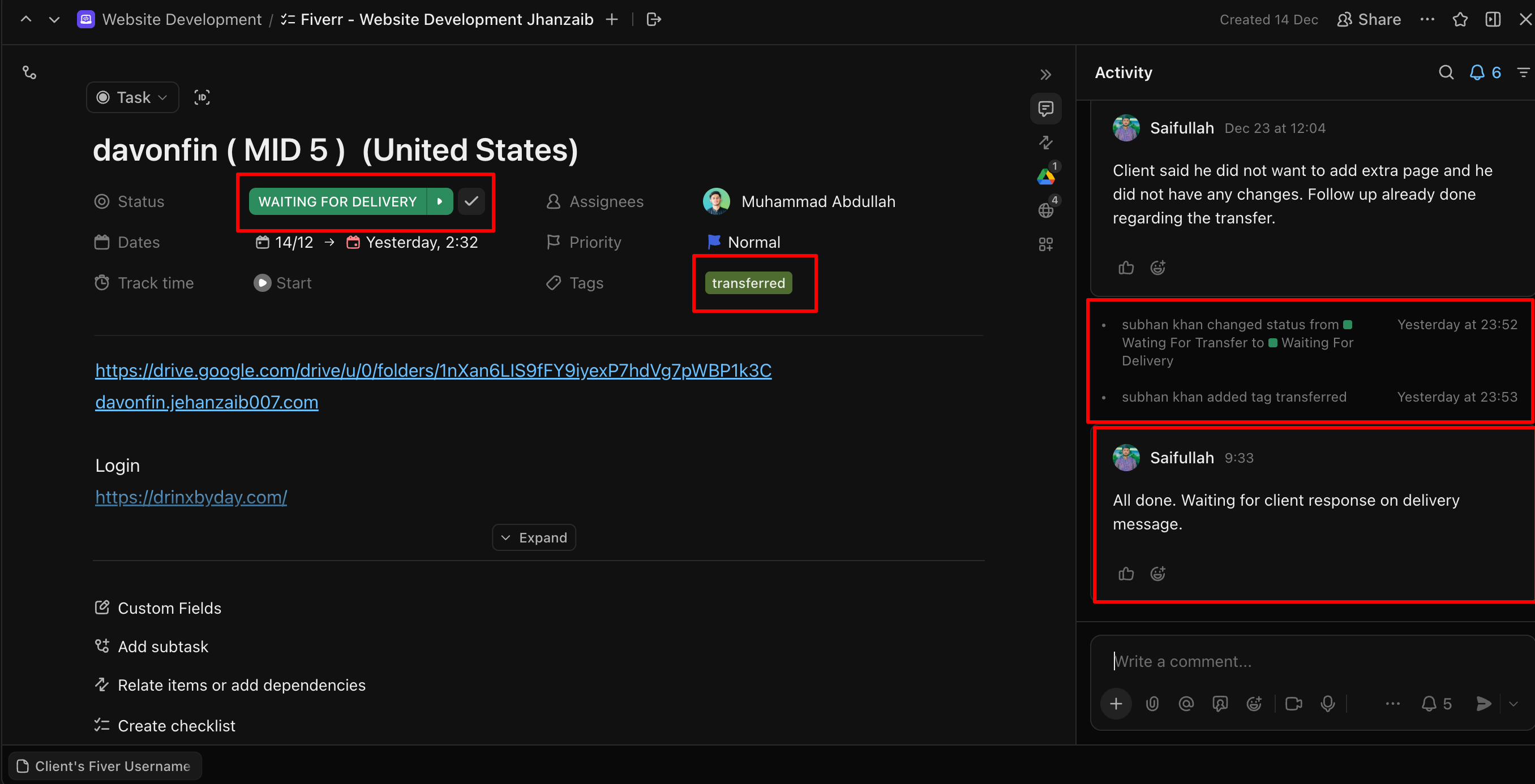
- Update project status:
Waiting for Transfer → Waiting for Delivery - Apply tag: Transferred
- Add activity note: Website transferred.
📌 Delayed updates = tracking failure.
🔹 Step 4: Internal Confirmation (Team Alignment)
Before contacting the client, confirm internally:
- No pending tasks
- No missing assets
- No unresolved client requests
Only proceed after internal confirmation.
🔹 Step 5: Client Confirmation Message (Mandatory)
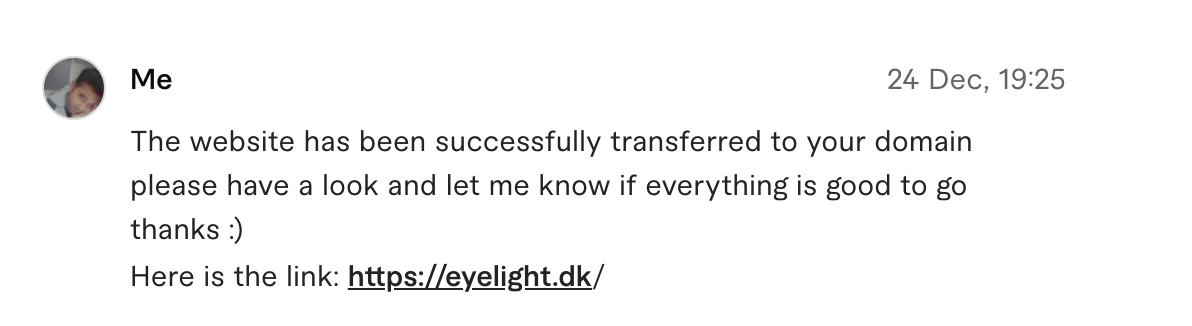
Send the saved Fiverr quick message:
Quick Message Name:
✅ Website Transfer Complete
Message:
The website has been successfully transferred to your domain.
Please have a look and let me know if everything is good to go.

Here is the link: {CLIENT URL}
Tone must be clear, calm, and professional.
🔹 Step 6: Handle Final Changes (If Any)
- If the client requests changes:
- Follow the Changes SOP
- Do NOT mix delivery and revision steps
- Track all changes properly
- If no changes are requested → proceed.
🔹 Step 7: Encourage Feedback & Review (Polite & Natural)
Once the client confirms satisfaction:
- Deliver the order
- Follow the closing step
- Politely encourage feedback
- Do NOT pressure the client
(Use the approved delivery + review request message)
🔹 Step 8: Close the Project Properly
✅ Case 1: Client Leaves a Review
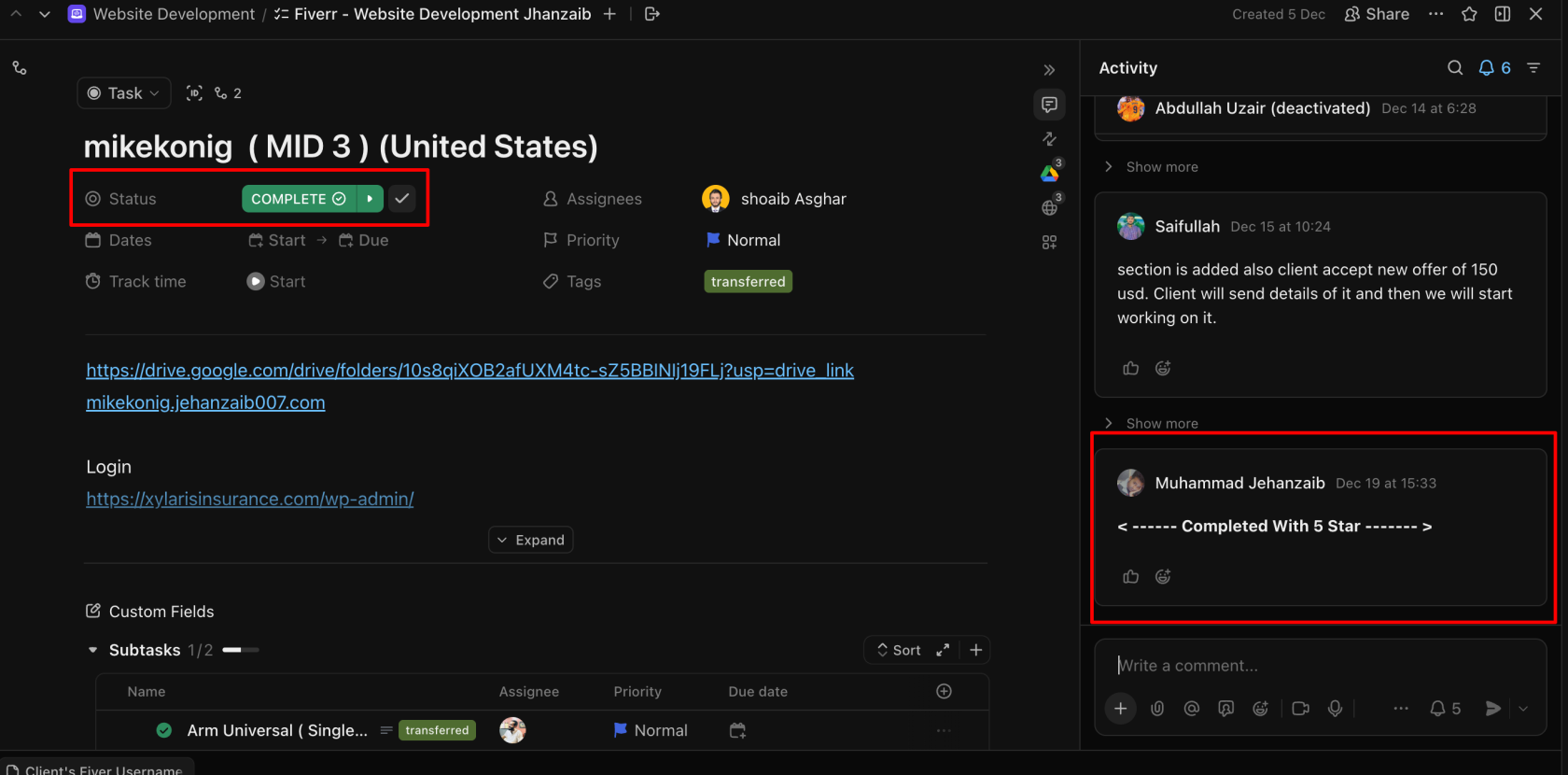
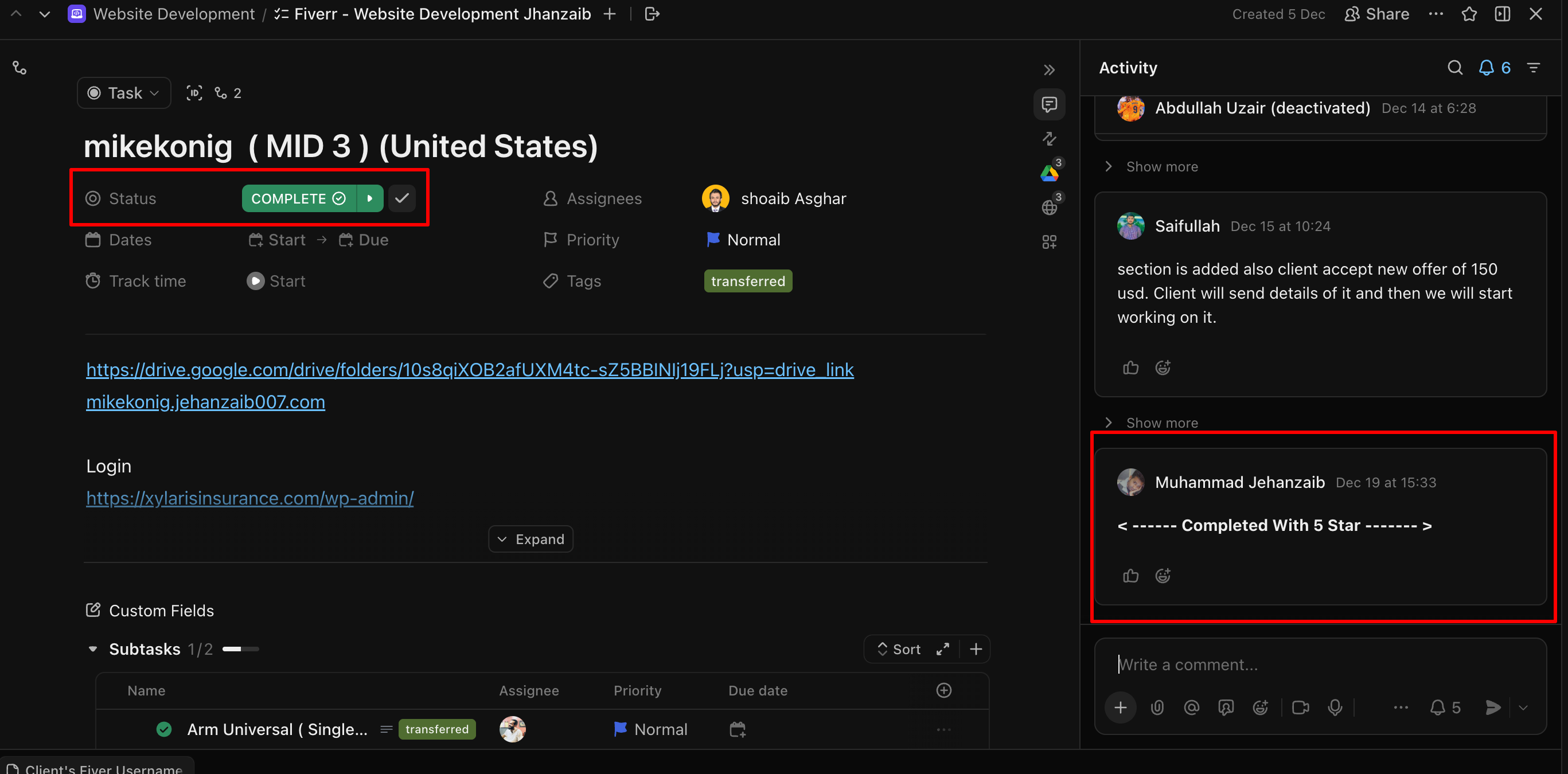
- Update ClickUp status:
- Delivered → Completed
- Add activity note: <—— Completed With 5 Star ——>
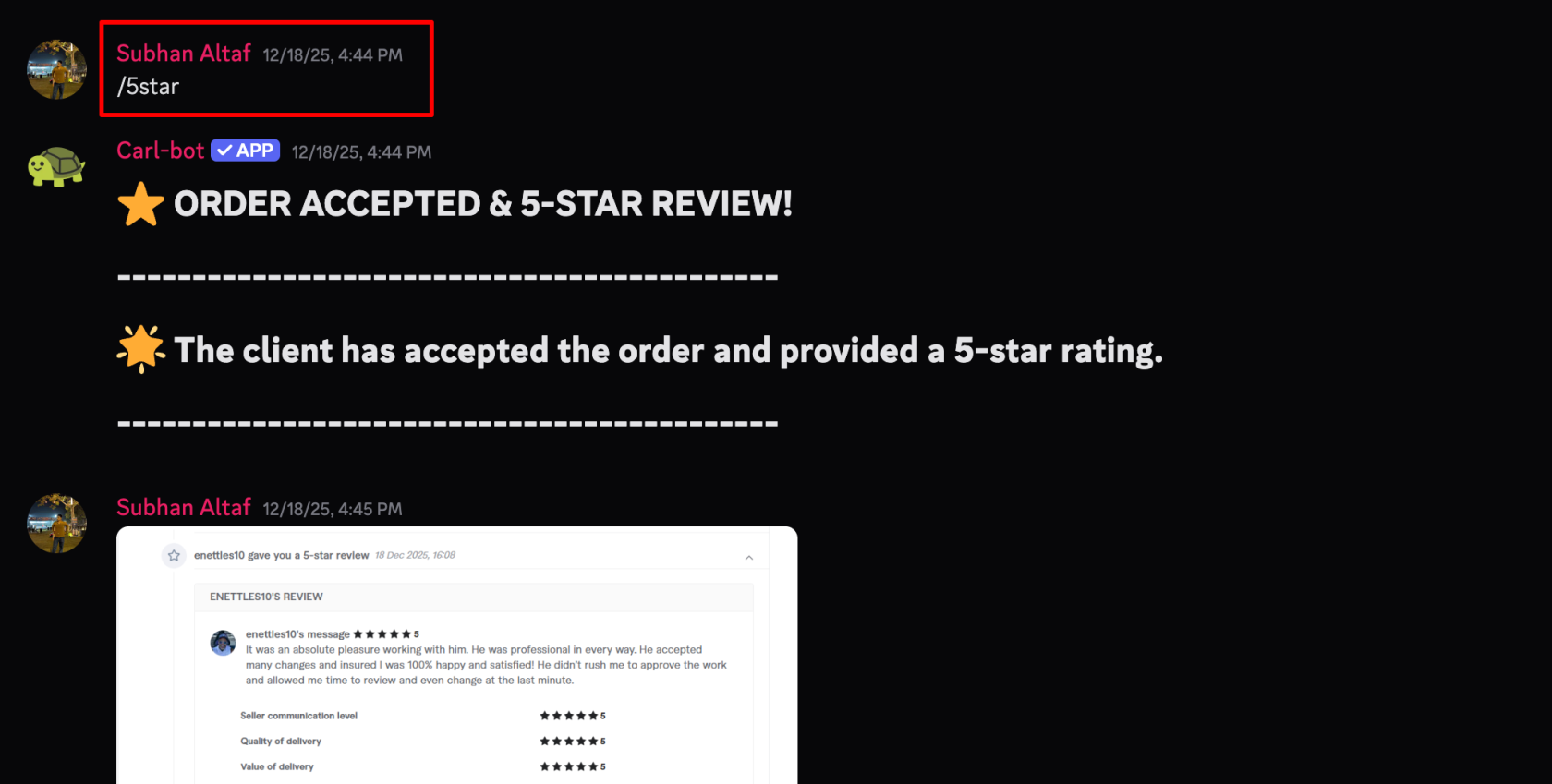
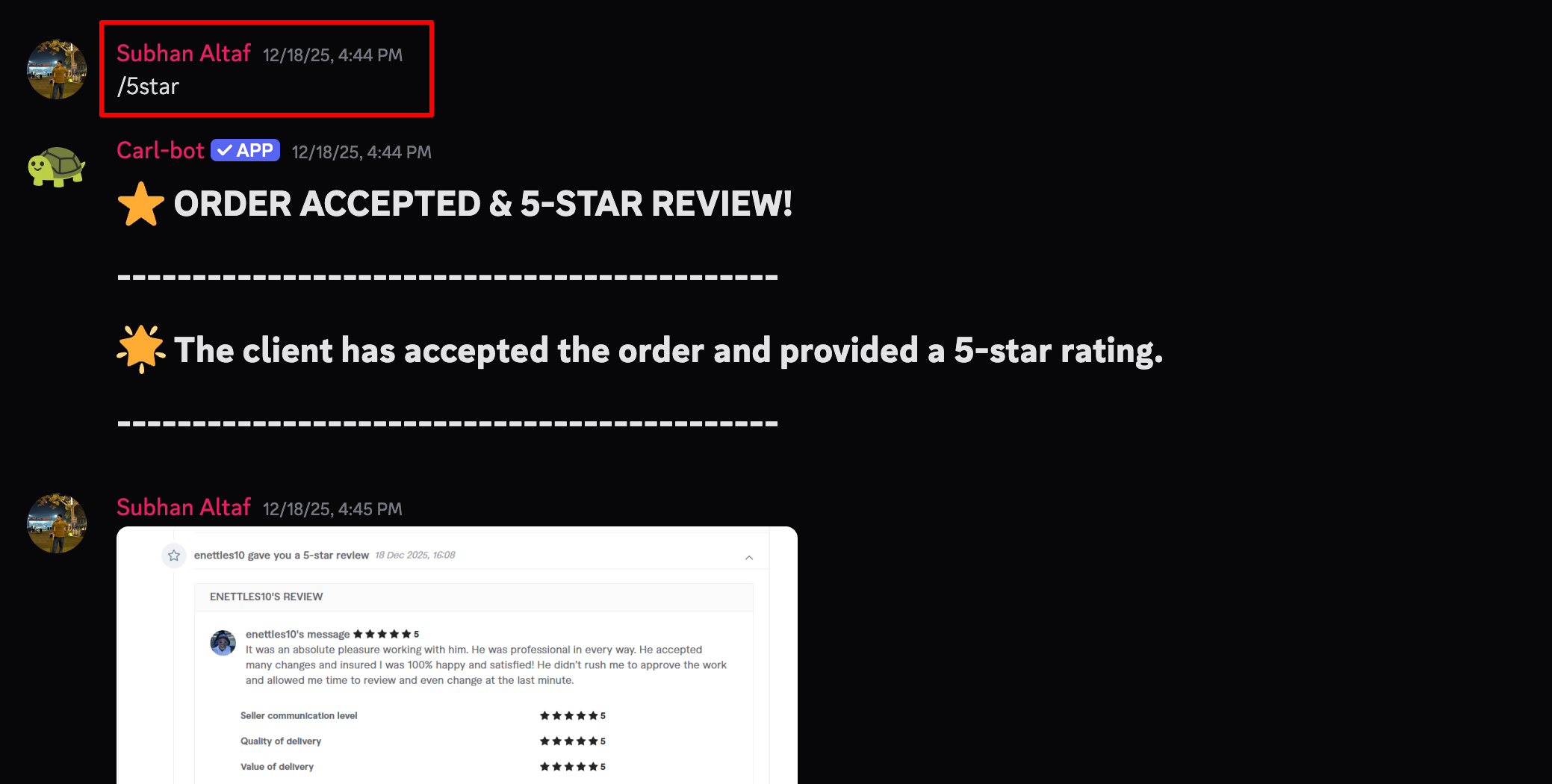
On Discord: - Use command: /5star (or relevant rating command: /4.7, /4.3, etc.)
- Also add the screenshot of the review as well for future refrecnes.
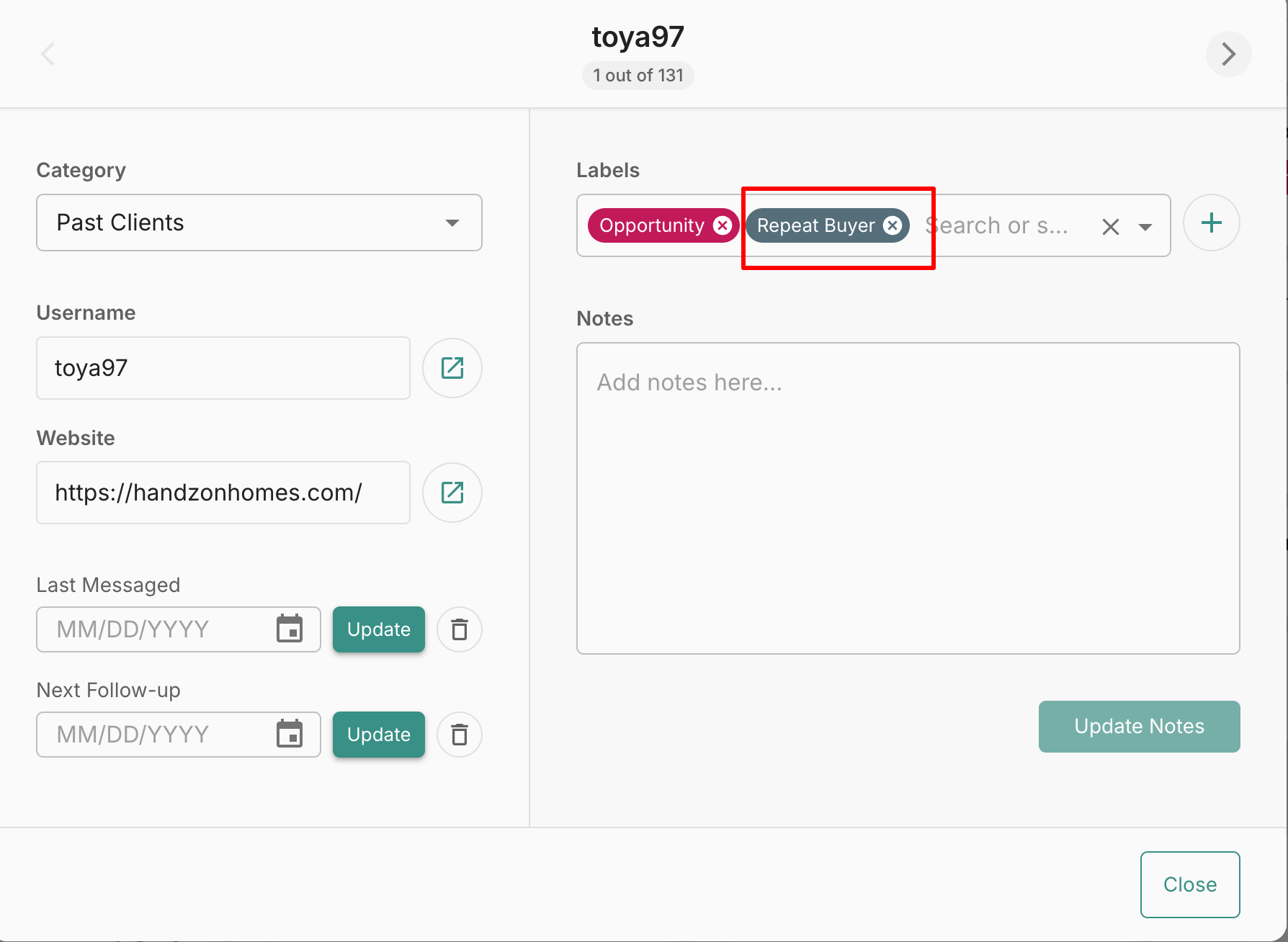
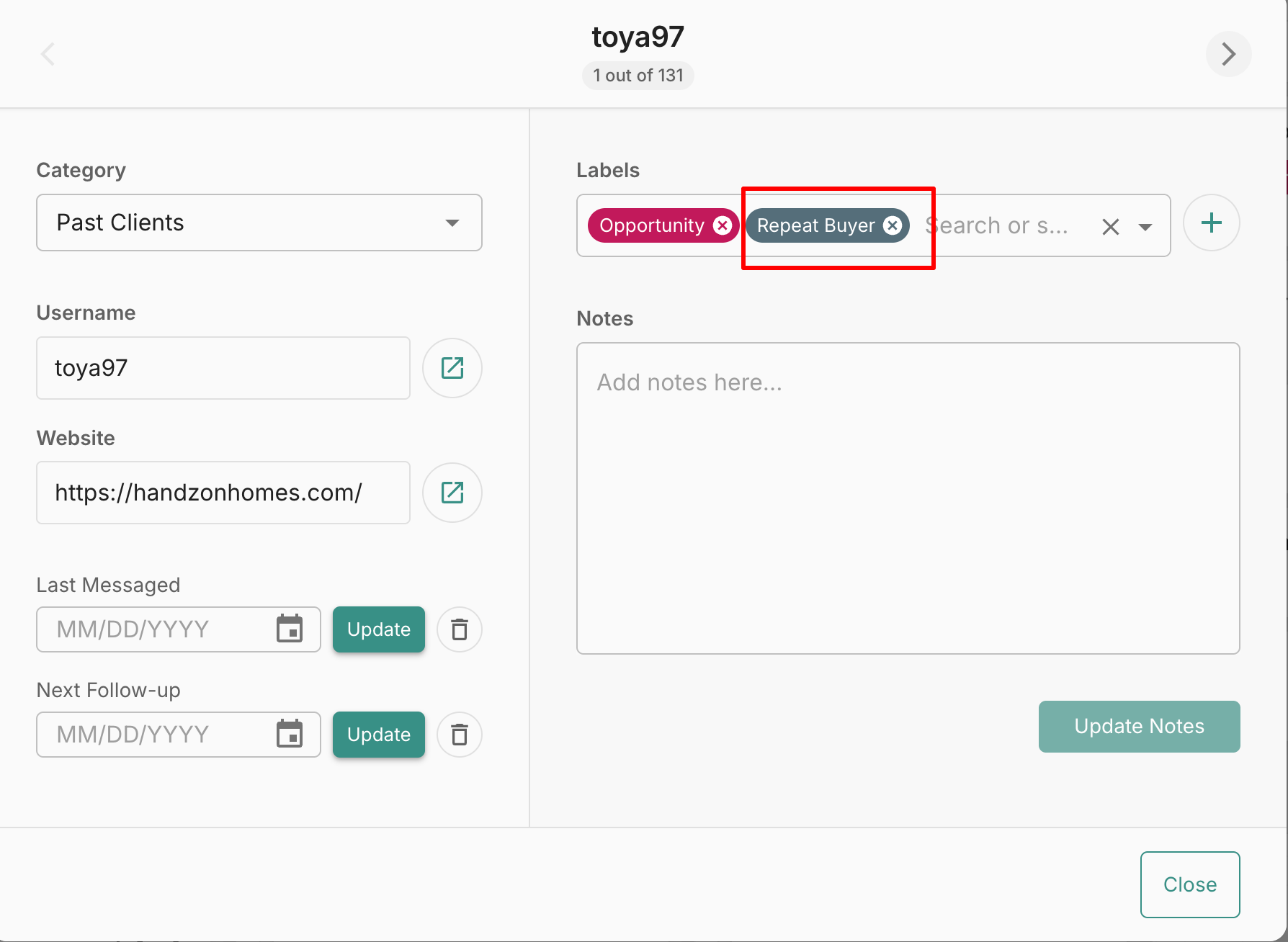
In CRM: - Move client to Past Clients
- Add tag: Repeat Buyer
⚠️ Case 2: Client Does NOT Leave a Review
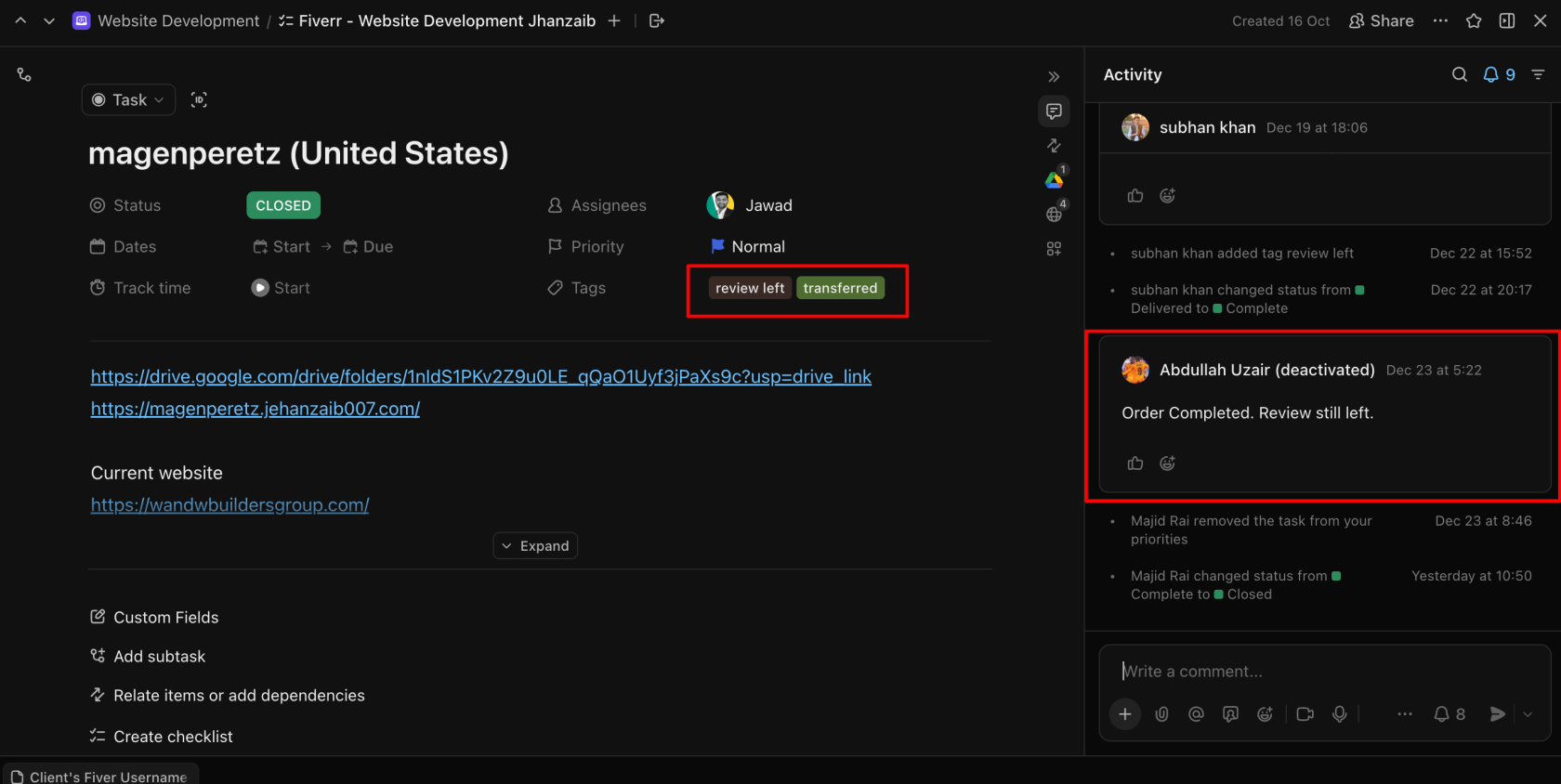
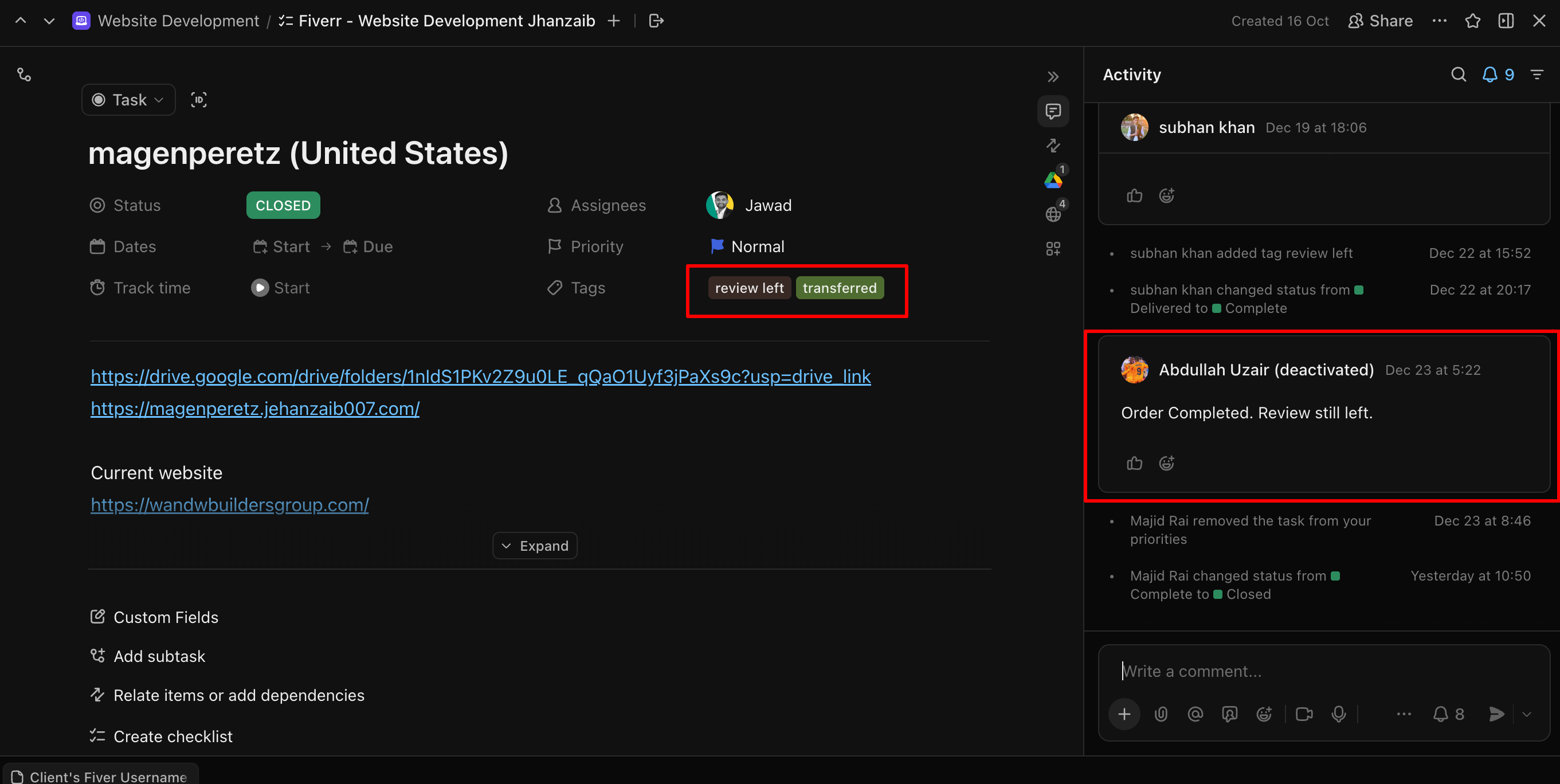
- Update ClickUp status:
- Delivered → Completed
- Add tag: Review Left
- Add activity note: <—— Completed by Client (Review Left) ——>
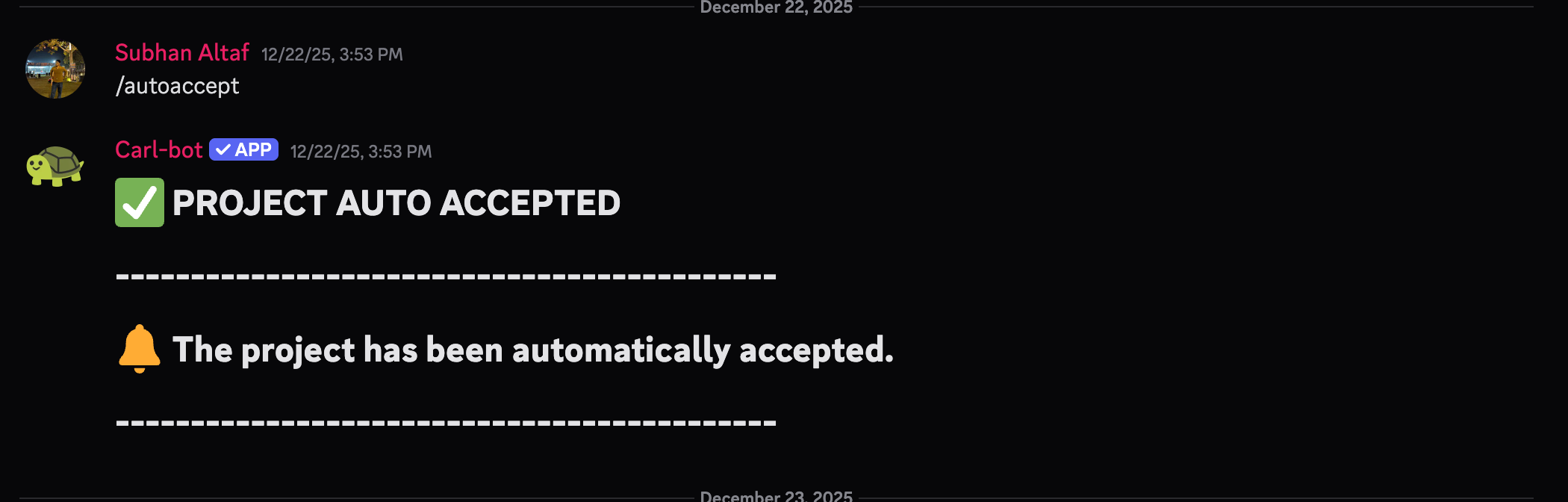
- On Discord:
- Use command: /reviewleft
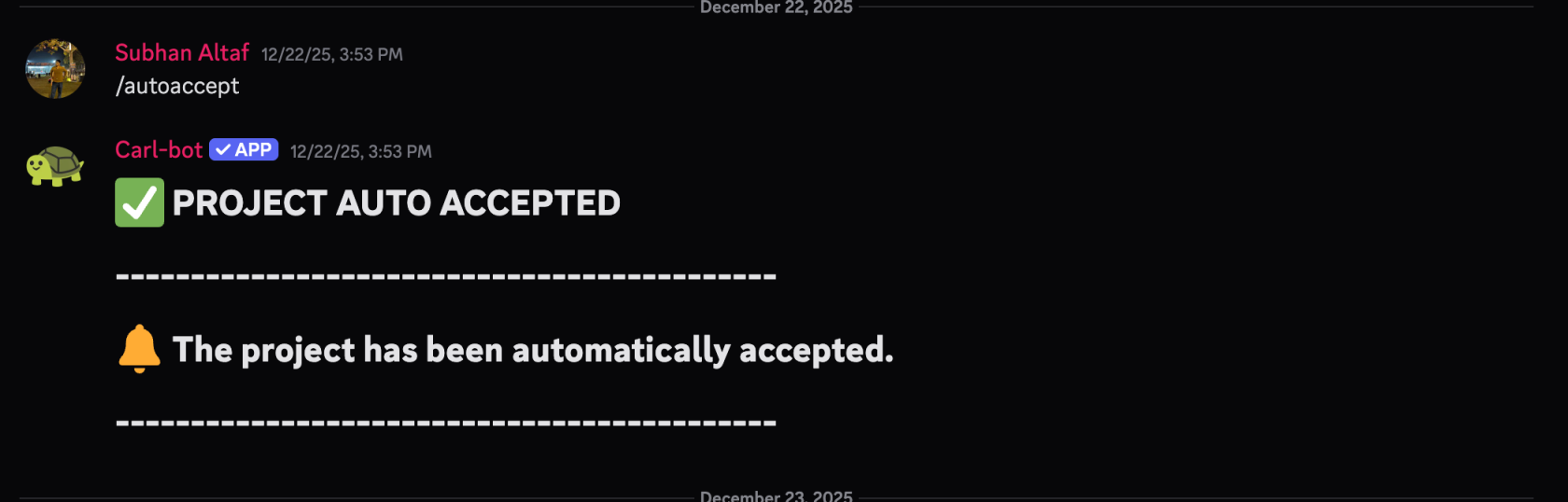
- Use command: /reviewleft
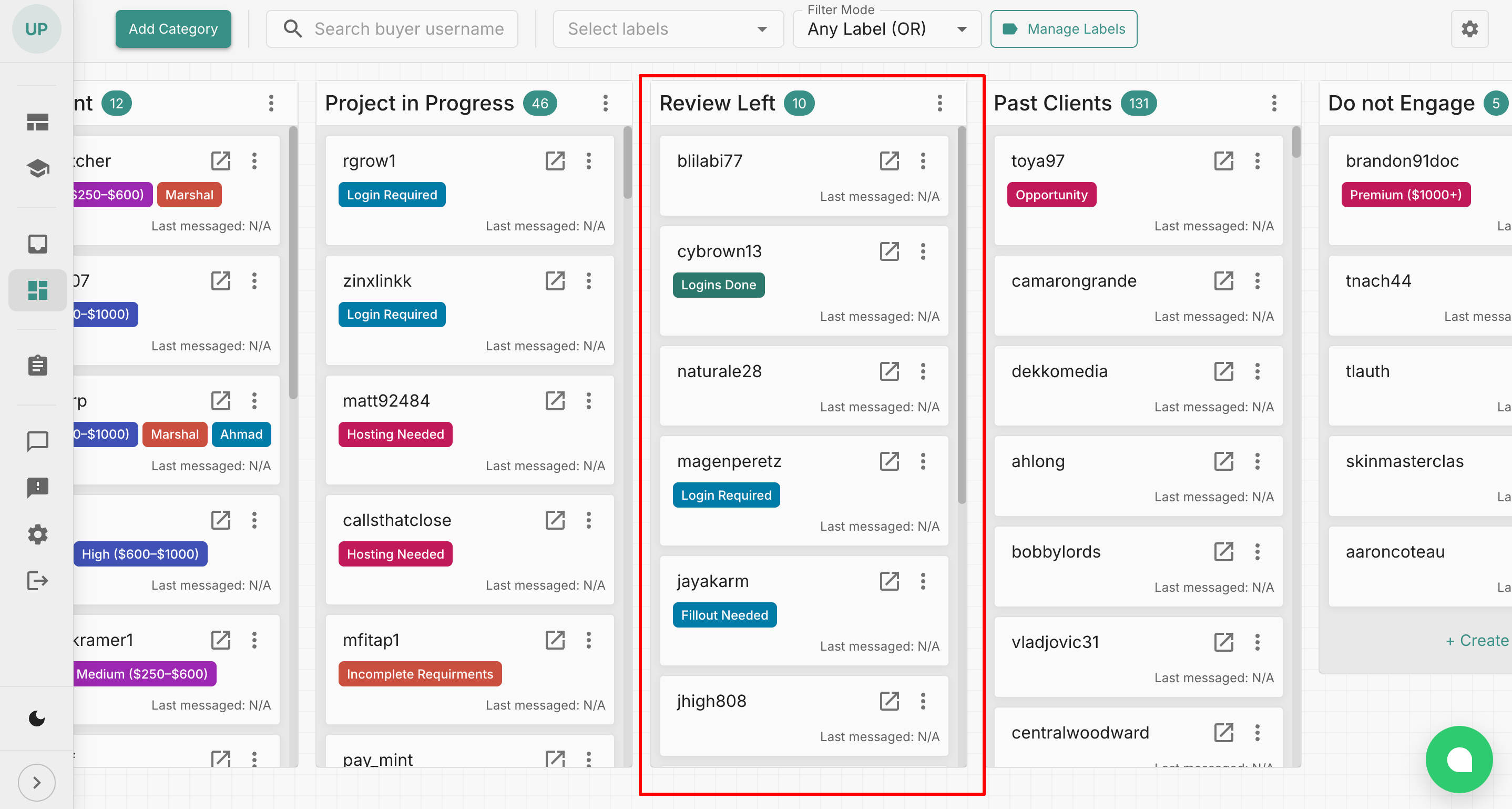
- In CRM:
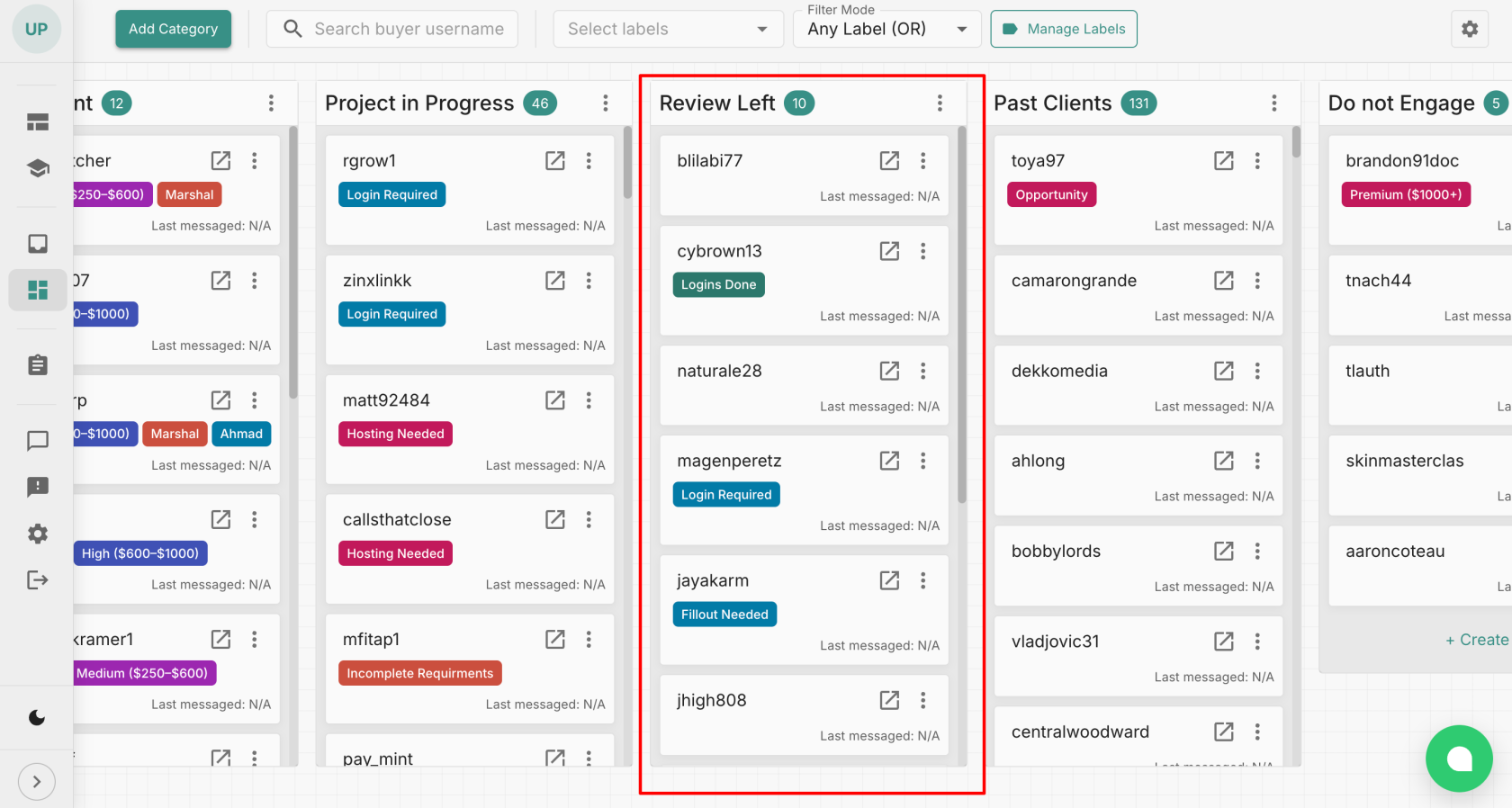
- Move client to Review Left category
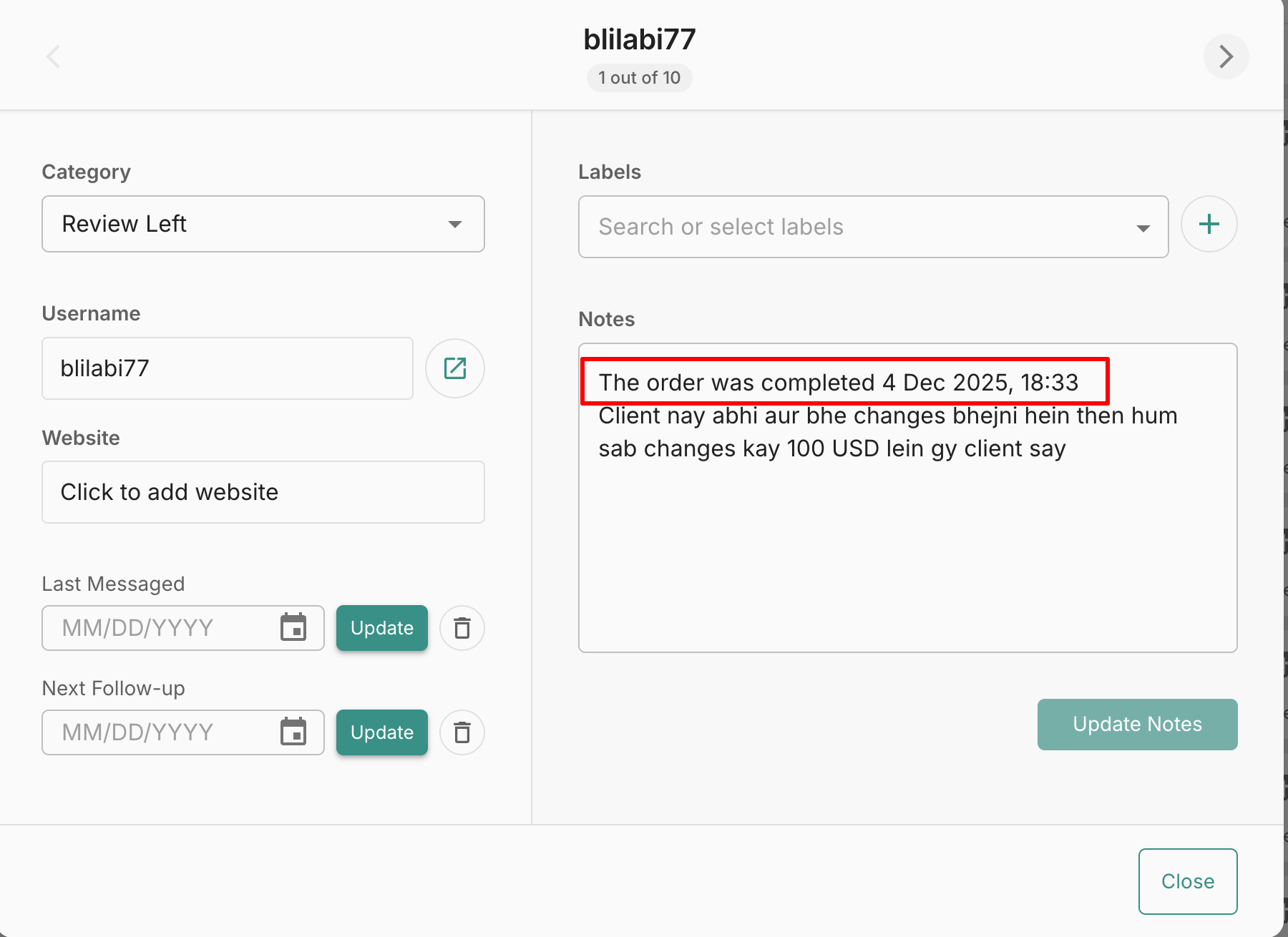
- Add order completion date in Notes (exact format copied from Fiverr):
- Move client to Review Left category
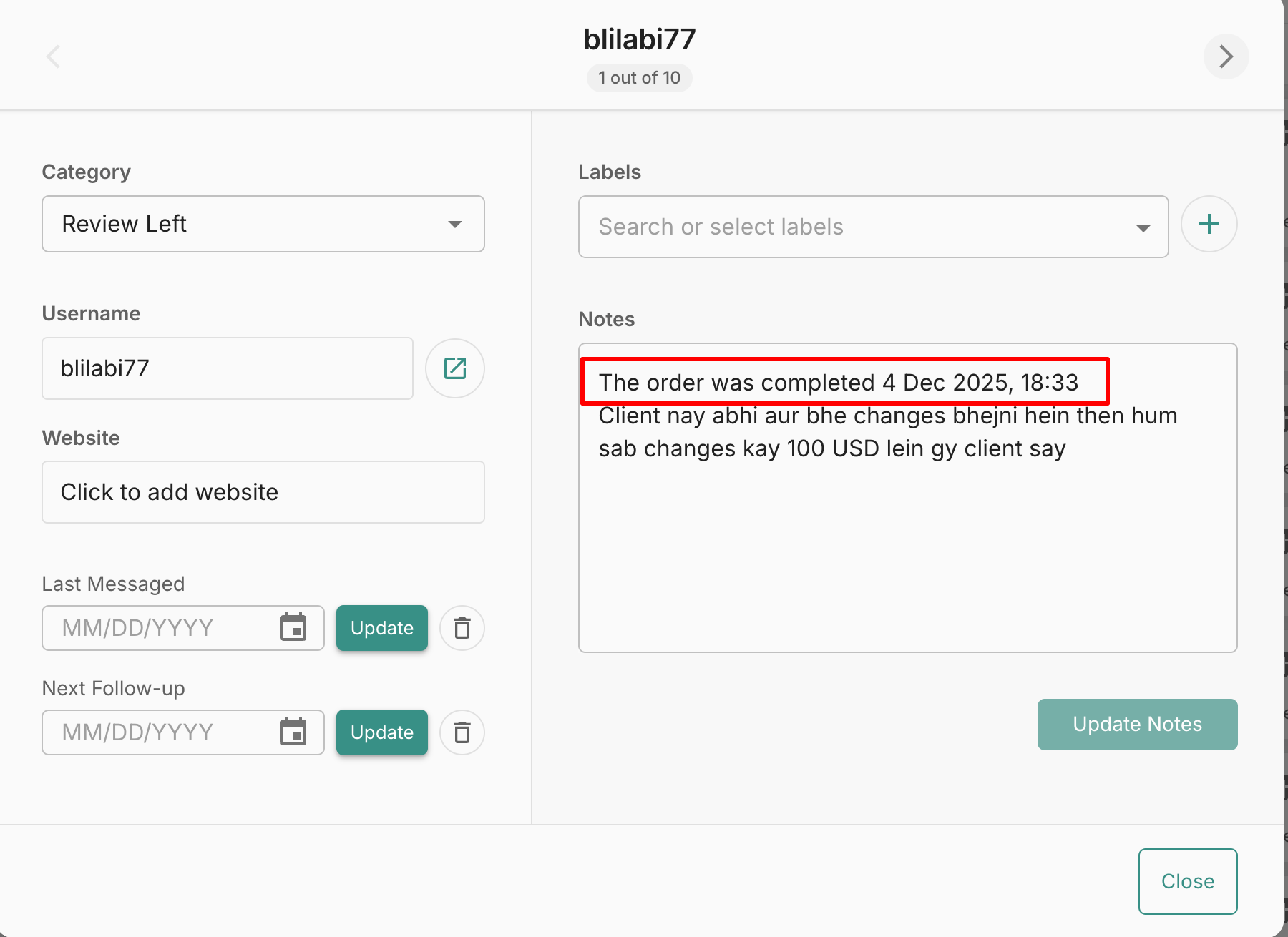
The order was completed 25 Dec 2025, 15:33

- Client will be followed for 30 days as per Follow-Up SOP
📌 Review tracking must NOT mix with past clients.
🧠 Key Understanding
Quality work alone is not enough.
Clear communication + proper verification + respectful closing
= Happy client + better reviews + repeat business.
🟡 Golden Rule
A project is only complete when the client confirms it — not when we think it is.