
SOP – Handling & Uploading Client Changes (Revisions)
🎯 Objective
Ensure all client-requested changes are:
- Properly documented
- Safely stored
- Clearly communicated
- Correctly tracked in ClickUp
No data loss. No missed instructions. No confusion.
🧱 Scope
Applies to:
- All Fiverr website projects
- All revision / change requests (1st, 2nd, 3rd… onwards)
⚠️ Core Rules (Non-Negotiable)
- ❌ Never overwrite old files
- ❌ Never rely only on chat memory
- ❌ Never skip screenshots
- ✅ Every change request must have its own folder
🧭 Step-by-Step Process
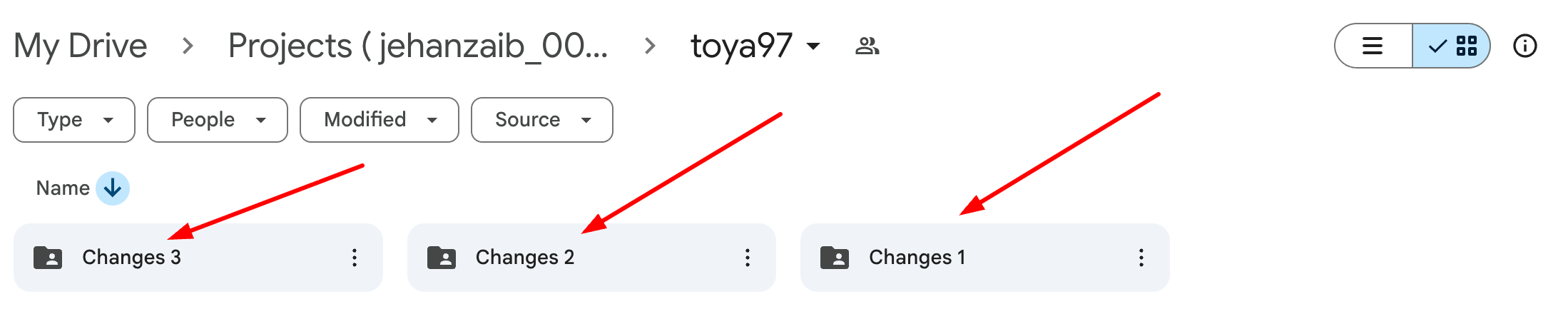
🔹 Step 1: Create Changes Folder (Mandatory)
In the project Google Drive:
- For first revision:
changes_1
- For second revision:
changes_2
- Continue sequentially:
changes_3, changes_4 …
🚫 Never rename or reuse an old changes folder.
🔹 Step 2: Capture Client Messages (Proof Required)
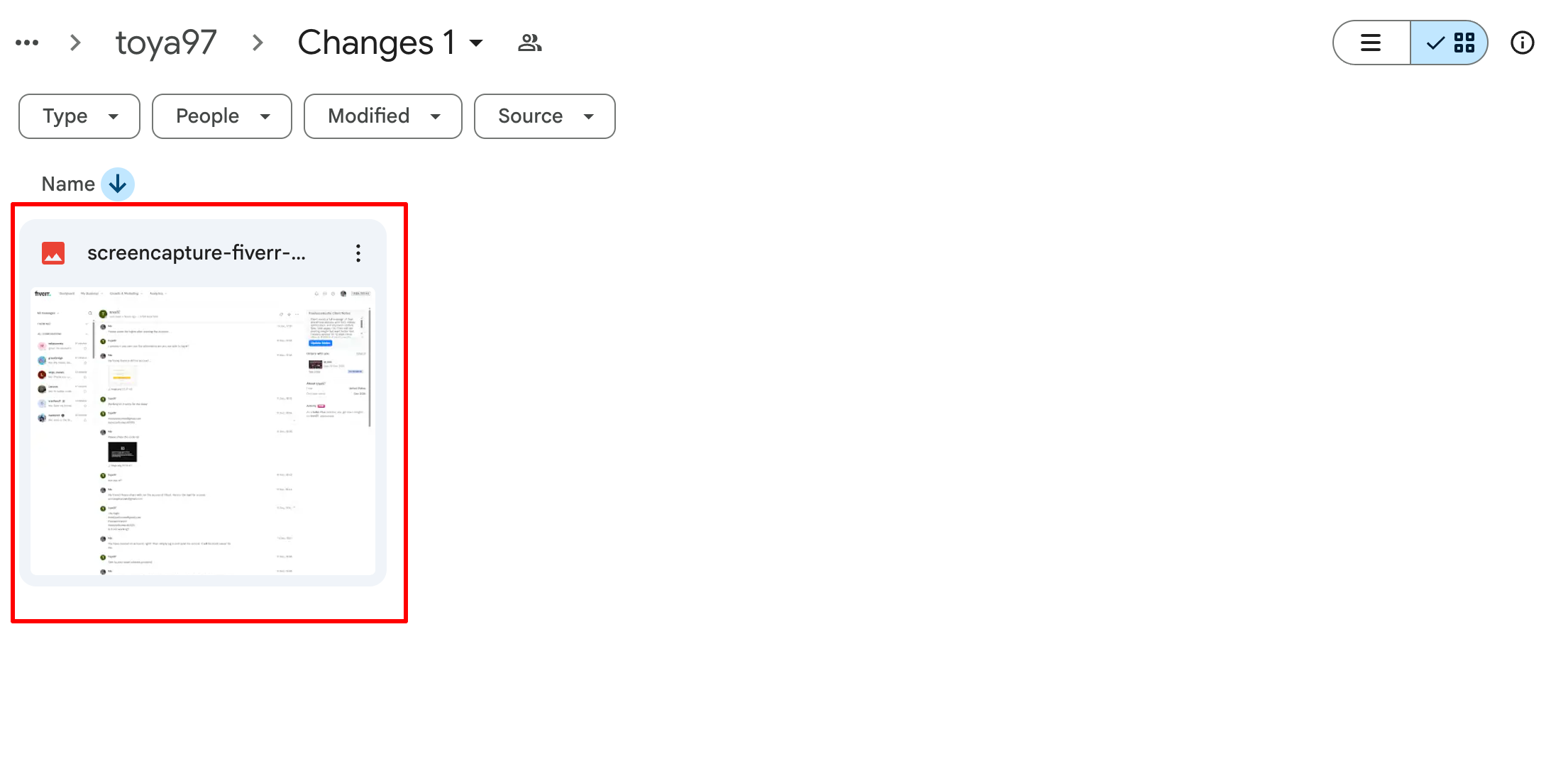
Take screenshots of:
- Fiverr Order Chat
- Fiverr Inbox / Conversation Chat ( Using Go Full Page Extension. )
These screenshots must clearly show:
- Client instructions
- Date & time
- Any links or files mentioned
📸 Screenshots are mandatory even if the message is “simple”.
🔹 Step 3: Download All New Client Data
Download everything the client sent, including:
- Images
- PDFs
- Docs
- Links (save in a text file if needed)
- Voice notes (if any)
🚫 Do NOT rely on external links staying active.
🔹 Step 4: Upload Data to Changes Folder
Upload the following into the relevant changes_X folder:
- All downloaded files
- All chat screenshots
- Any notes or clarifications (if required)
Upload using the Upastra Drive And client folder only account only
(no personal accounts allowed).
🔹 Step 5: Discord Update (Carl-bot – Mandatory)
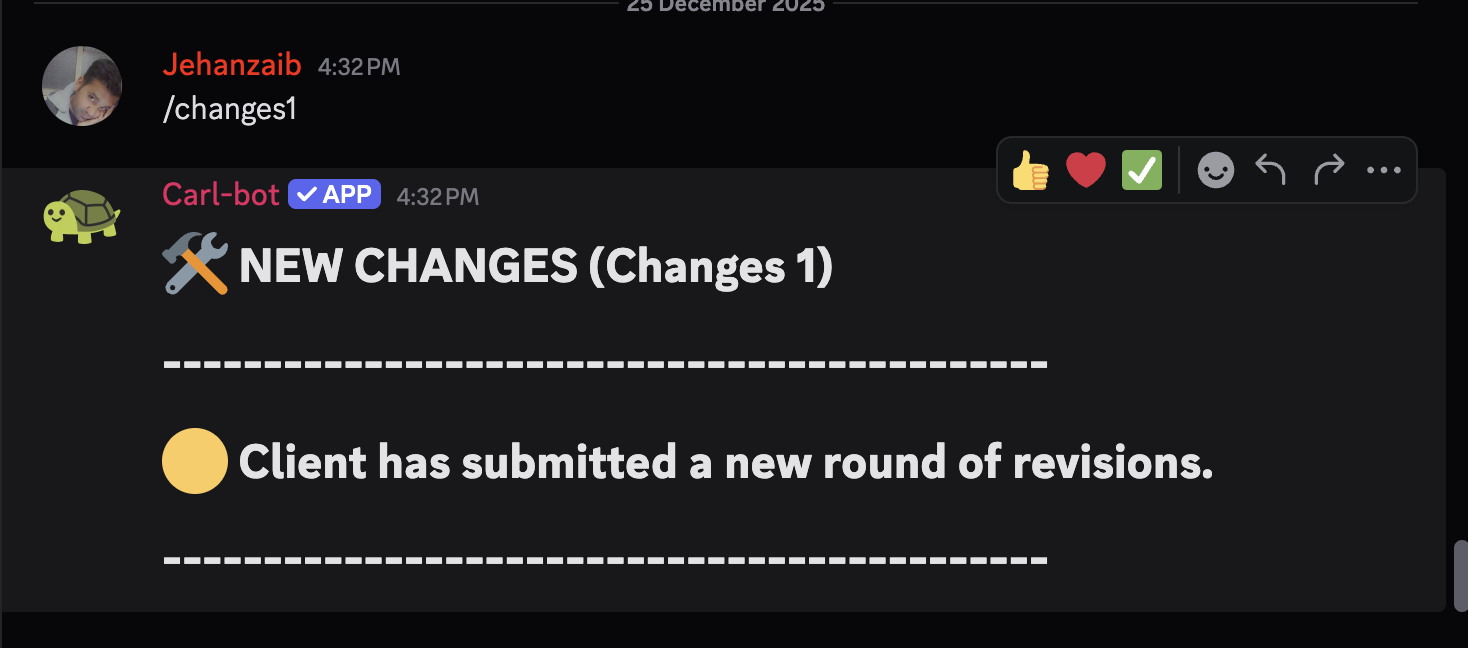
In the client’s Discord thread → Activity section:
- Use Carl-bot quick commands only
- Do NOT type manual messages
Use the command matching the change round:
/changes1 → First round
/changes2 → Second round
/changes3 → Third round
…
/changes10 → Tenth round
📌 Carl-bot already contains predefined messages.
Rules:
- Command number must match the Drive folder (changes_1, changes_2, etc.)
- Always use the next sequential command
- Never reuse or skip a number
🚫 If a change round is not logged via Carl-bot, it is not considered an official revision.
🔹 Step 6: Update ClickUp Activity
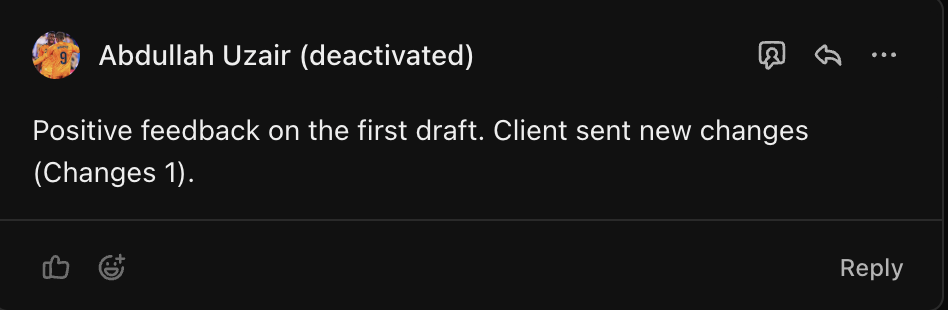
In the ClickUp task → Activity / Comments section:
- Add a short update: Changes : 1 , Changes : 2
Note: For First draft reply also add the positive, negative or moderate feedback from the client based on the client messages.
🔹 Step 7: Update Project Status
Finally:
- Change the task status to:
New Changes
🚫 Do not move the status before all previous steps are completed.
🔍 Quality Check (Before Status Change)
Confirm all are done:
- - Changes folder created ✔
- - Screenshots taken ✔
- - Data downloaded ✔
- - Files uploaded ✔
- - Discord updated ✔
- - ClickUp updated ✔
If even ONE item is missing → stop.