
How to upload a project
-
Create a new project on ClickUp with the name of the client Name with Country Like Name (Country)
-
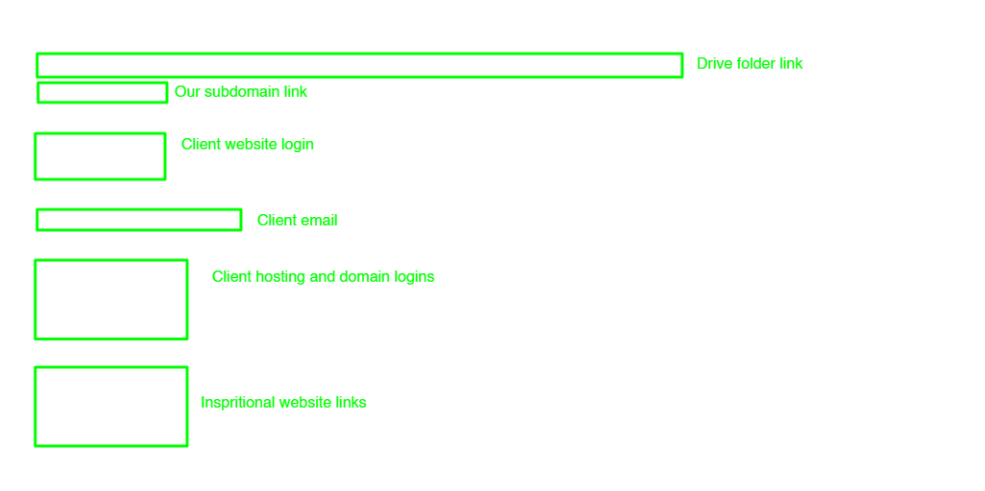
Create a folder with the client name in this account drive (smtp…) and paste this folder link to the click-up description section as shown in the photo.
-
Take screenshots of all chats of the client bout conversion and order chat download and download all the images, videos, and files from the client chat.
-
Upload all the data to the drive must use this account (SMTP…) when uploading the data to the client folder.
-
Create a subdomain with the same name that we use for click-up and paste links in the clickup description section as shown in the photo.
-
Upload client logins to the Client Login list.
-
Upload client inspirational website links at the bottom of the click-up description as shown in the photo.
Note: Use the same format in the description section whenever uploading the project. As shown in the photo.
-
Send all the important links to the Discord Activity section that are difficult to copy from screenshots and other important links.
-
Send if have done meeting. all the meeting links to the Discord Activity section.
-
Update the order date on ClickUp if the order is in progress.
-
Set the priority tag with the help of the Order Tag SOP’s.
Changes the status of that project with the help of Order Status SOP’s.
No comments to display
No comments to display